Why Every Affiliate Marketer Needs Google Search Console
If you’ve ever stared at your website analytics wondering why your affiliate content isn’t getting the traffic it deserves, you’re definitely not alone. Many affiliate marketers spend hours researching keywords, writing detailed product reviews, and optimizing their content—only to see little movement in search rankings. That’s exactly where a Google Search Console Guide for Affiliates becomes invaluable. Instead of guessing what Google thinks about your website, Google Search Console gives you real data about how your pages perform in search results. As a result, you can discover which keywords bring visitors, identify pages that need improvement, fix indexing issues, and uncover hidden opportunities to increase both organic traffic and affiliate revenue. Better yet, it’s completely free, making it one of the most powerful SEO tools available for affiliate marketers of all experience levels.
Why Google Search Console Is a Game-Changer for Affiliate SEO
However, simply signing up for Google Search Console isn’t enough. Like buying a high-end fitness tracker and only using it to check the time, you’ll miss out on its most valuable features if you don’t know how to interpret the data. Fortunately, learning the platform isn’t nearly as complicated as it first appears. Once you understand reports like Performance, Indexing, and Core Web Vitals, you’ll be able to make smarter SEO decisions based on facts instead of assumptions. Moreover, you’ll learn which pages deserve updates, which keywords are just one small optimization away from ranking on the first page, and where technical issues may be quietly holding your site back. Consequently, every improvement becomes more strategic and measurable.
What You’ll Learn in This Guide
In this comprehensive guide, you’ll learn how to set up Google Search Console correctly, monitor your affiliate website’s performance, uncover profitable keyword opportunities, fix common indexing problems, and use actionable insights to improve your rankings over time. Additionally, we’ll share practical tips, common mistakes to avoid, and proven optimization techniques that you can implement immediately. Whether you’re launching your very first affiliate website or managing a growing portfolio of niche blogs, this guide will help you transform Google Search Console from a confusing dashboard into your most reliable SEO partner—and perhaps the only analytics tool that won’t judge you for checking your rankings five times before lunch.
Ready to put these strategies into action? WATCH THIS VIDEO >>>
Setting Up Google Search Console for Your Affiliate Website
If you’re serious about growing an affiliate website through organic search, setting up Google Search Console (GSC) should be one of your very first tasks. Think of it as your website’s direct communication channel with Google. Instead of wondering whether your pages are indexed, which keywords they’re ranking for, or why your traffic suddenly dipped, GSC gives you accurate data straight from the source. As a result, you can make informed SEO decisions rather than relying on assumptions or third-party estimates.
The best part? Google Search Console is completely free. Whether you’ve just launched your first niche blog or you’re managing multiple affiliate websites, this tool helps you monitor search performance, identify technical issues, and uncover opportunities to improve rankings. More importantly, it enables you to spot problems before they start affecting your affiliate revenue.
Create Your Google Search Console Account
Getting started with Google Search Console takes only a few minutes. If you already have a Google account, you’re halfway there. Simply sign in to Google Search Console and add your website as a new property.
When adding a property, Google gives you two verification options:
- Domain Property – Tracks your entire domain, including all subdomains and protocols (HTTP, HTTPS, www, and non-www).
- URL Prefix Property – Tracks only the specific URL you enter.
For most affiliate marketers, the Domain Property is the better choice because it provides complete website data. However, if you only have access to a specific subdirectory or subdomain, the URL Prefix option works just as well.
Pro Tip: If you’re starting a brand-new affiliate website, choose the Domain Property to avoid collecting fragmented data later.
Verify Ownership of Your Website
Before Google starts collecting data, you’ll need to prove that you own the website. Depending on your hosting provider and website setup, Google offers several verification methods.
The most common verification options include:
- Adding a DNS TXT record to your domain
- Uploading an HTML verification file
- Adding an HTML meta tag
- Using Google Analytics
- Using Google Tag Manager
Among these, DNS verification is generally the most reliable because it continues working even if you redesign your website or switch themes. Although DNS changes may take a little time to propagate, they’re usually a one-time setup.
If verification fails on your first attempt, don’t panic. Double-check that you’ve copied the verification code correctly and allow some time for DNS records to update before trying again.
Submit Your XML Sitemap
Once your website is verified, the next important step is submitting your XML sitemap. Think of your sitemap as a roadmap that helps Google discover and understand the pages on your website more efficiently.
If you’re using WordPress, popular SEO plugins such as Rank Math, Yoast SEO, or All in One SEO automatically generate an XML sitemap for you. In most cases, your sitemap will be available at:
- yourdomain.com/sitemap.xml
- yourdomain.com/sitemap_index.xml
To submit it:
- Open Google Search Console.
- Navigate to Sitemaps.
- Enter your sitemap URL.
- Click Submit.
Submitting a sitemap doesn’t guarantee immediate indexing. Nevertheless, it makes it easier for Google to find newly published affiliate articles and updated product reviews.
Connect Google Search Console with Google Analytics
Although Google Search Console is excellent for understanding how users find your website, it doesn’t tell the whole story. That’s where Google Analytics comes in. While GSC focuses on search performance, Google Analytics reveals what visitors do after they land on your site.
By connecting both tools, you can answer valuable questions such as:
- Which keywords drive the most affiliate traffic?
- Which landing pages generate the highest engagement?
- Where do visitors leave your website?
- Which articles lead to affiliate conversions?
Together, these insights help you refine your content strategy and focus on pages that have the greatest revenue potential.
Perform a Quick Post-Setup Check
After completing the setup, take a few minutes to ensure everything is working correctly. A quick audit now can save hours of troubleshooting later.
Here’s a simple checklist:
| Task | Status |
| Website verified | ✅ |
| Domain Property selected | ✅ |
| XML sitemap submitted | ✅ |
| HTTPS version indexed | ✅ |
| Google Analytics connected | ✅ |
| No verification errors | ✅ |
Keep in mind that Google Search Console doesn’t display historical data collected before verification. Therefore, the sooner you set it up, the sooner you’ll begin building valuable search insights.
Common Setup Mistakes to Avoid
Many affiliate marketers complete the initial setup but overlook small details that can limit the usefulness of their data. Fortunately, these mistakes are easy to avoid.
Some of the most common setup errors include:
- Choosing the wrong property type
- Forgetting to submit an XML sitemap
- Ignoring HTTPS property issues
- Verifying only the “www” or “non-www” version of the site
- Never checking for indexing or crawl errors after setup
- Waiting weeks before installing Google Search Console
Spending a few extra minutes reviewing your setup ensures that Google can crawl, index, and report on your affiliate content accurately from day one.
Key Takeaway: Setting up Google Search Console correctly is the foundation of a successful affiliate SEO strategy. Once your website is verified, your sitemap is submitted, and Google Analytics is connected, you’ll have access to reliable data that helps you improve rankings, uncover keyword opportunities, and grow your affiliate revenue with confidence.
Finding High-Value Keywords That Can Increase Affiliate Sales
Driving traffic to your affiliate website is only half the battle. The real goal is attracting visitors who are ready to take action—whether that’s reading a product review, comparing two tools, or clicking your affiliate links. Fortunately, Google Search Console (GSC) helps you uncover exactly which search queries are bringing people to your site. Instead of chasing random keywords with high search volume, you can focus on the terms your website is already ranking for and optimize them to generate more clicks and conversions.
Even better, Google Search Console provides first-hand data directly from Google. This means you’re not relying on estimates from third-party SEO tools. As a result, you can make smarter decisions about which pages to update, which keywords deserve more attention, and where your next affiliate content opportunity lies.
Use the Performance Report to Discover Keyword Opportunities
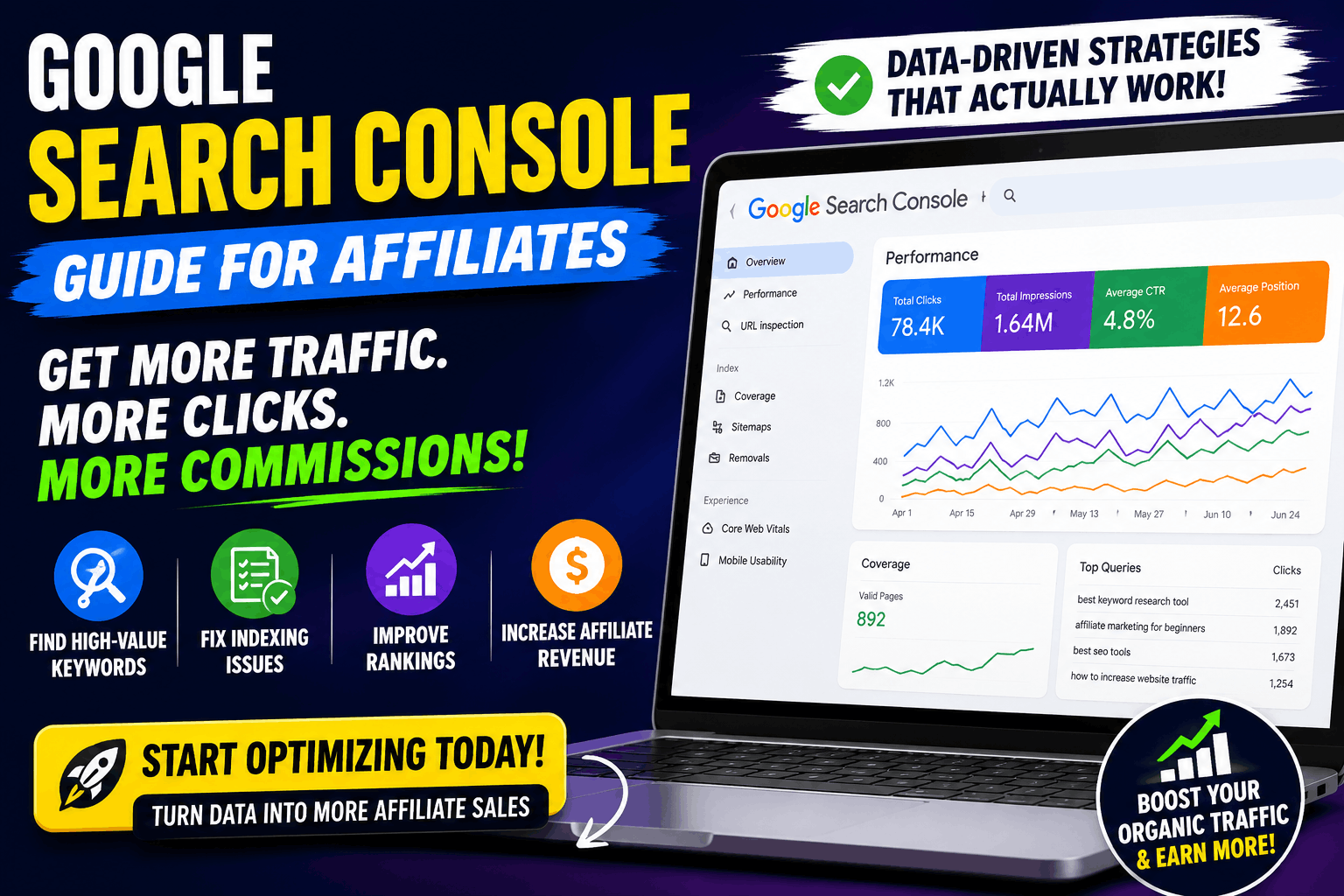
The Performance report is one of the most valuable sections in Google Search Console for affiliate marketers. It reveals how your website performs in Google Search by displaying four key metrics:
- Clicks – The number of visitors who clicked your page.
- Impressions – How many times your page appeared in search results.
- Average CTR (Click-Through Rate) – The percentage of impressions that turned into clicks.
- Average Position – Your average ranking for a keyword.
Together, these metrics tell a powerful story. For example, a page with thousands of impressions but very few clicks usually indicates that your title or meta description isn’t compelling enough. Meanwhile, a page ranking in positions 8–20 may only need a few content improvements to reach the first page of Google.
Pro Tip: Filter the report to the last 90 days or compare the previous three months to identify pages that are gaining or losing momentum.
Identify High-Impression, Low-CTR Keywords
One of the quickest ways to increase organic traffic is by improving pages that already appear in search results but aren’t getting enough clicks.
Suppose your article receives:
| Keyword | Impressions | Position | CTR | Opportunity |
| Best VPN for Streaming | 9,200 | 7.8 | 1.6% | Rewrite title and meta description |
| Email Marketing Software | 6,800 | 9.2 | 2.1% | Add benefits and numbers in the title |
| Best Budget Hosting | 5,100 | 10.4 | 1.9% | Refresh content and improve headings |
These keywords are already visible to potential readers. Therefore, even a small improvement in CTR can generate hundreds of additional visitors without publishing new content.
Consider optimizing:
- Your SEO title
- Meta description
- Publication date
- Rich snippets
- Emotional or benefit-driven headlines
Sometimes, changing a title is all it takes to encourage more users to click your result instead of a competitor’s.
Focus on Keywords Ranking Between Positions 8 and 20
Many affiliate marketers obsess over keywords that rank beyond page three. However, the real opportunities often sit just outside the top results.
Pages ranking between positions 8 and 20 are already considered relevant by Google. Consequently, they usually require less effort to improve than creating a brand-new article.
To push these pages higher:
- Expand thin sections with more helpful information.
- Answer additional user questions.
- Include recent statistics or examples.
- Improve internal linking from related articles.
- Refresh outdated screenshots and product information.
- Add FAQs that target long-tail searches.
These small updates send freshness signals to Google while making your content more useful for readers.
Find Buyer Intent Keywords That Drive Affiliate Revenue
Not every keyword generates affiliate income. Some searches are purely informational, while others indicate that users are close to making a purchase.
Buyer intent keywords often include words like:
- Best
- Review
- Vs
- Comparison
- Pricing
- Discount
- Alternatives
- Features
- Worth It
For example, someone searching “best email marketing software for small business” is much closer to making a buying decision than someone searching “what is email marketing.”
Google Search Console helps you identify which buyer-focused keywords are already sending traffic to your site. Once you’ve found them, consider strengthening your content with:
- Detailed comparison tables
- Updated pricing information
- Real-world pros and cons
- Frequently asked questions
- Clear affiliate call-to-action buttons
The easier you make the buying decision, the better your chances of earning a commission.
Discover Long-Tail Keywords Hidden in Your Data
Long-tail keywords may have lower search volume, but they often convert better because they reflect highly specific search intent.
For instance, instead of targeting:
- Best VPN
You might discover searches like:
- Best VPN for Netflix India
- Best VPN for gaming on PC
- Affordable VPN with unlimited devices
These keywords often face less competition while attracting visitors who know exactly what they’re looking for.
After identifying these opportunities in Google Search Console, you can:
- Expand existing articles.
- Create dedicated blog posts.
- Add new FAQ sections.
- Build supporting cluster content.
- Optimize headings with relevant phrases.
Over time, these long-tail keywords can generate a steady stream of highly qualified organic traffic.
Compare Devices, Countries, and Date Ranges
Google Search Console offers several filters that many affiliate marketers overlook. However, these filters can reveal valuable insights about your audience.
Experiment with filters such as:
- Queries – See exactly what people searched.
- Pages – Identify your top-performing content.
- Countries – Discover where your audience is located.
- Devices – Compare desktop and mobile performance.
- Search Appearance – Analyze rich result visibility.
- Date Comparison – Measure SEO progress over time.
For example, if mobile CTR is significantly lower than desktop CTR, your page title might be getting truncated on smaller screens. Likewise, if impressions suddenly decline after a Google update, comparing date ranges can help pinpoint which pages were affected.
Turn Search Console Insights Into Content Updates
Finding keyword opportunities is only useful if you act on them. Fortunately, Google Search Console provides a clear roadmap for improving your affiliate content.
Instead of constantly publishing new articles, consider updating your existing pages by:
- Adding missing subtopics.
- Improving readability.
- Including original images or screenshots.
- Refreshing outdated information.
- Strengthening internal links.
- Optimizing headings with related keywords.
- Answering “People Also Ask” questions.
- Updating product recommendations.
In many cases, refreshing an older article delivers faster SEO gains than writing a completely new one. Moreover, it allows you to maximize the authority your page has already built.
Key Takeaway: Google Search Console isn’t just a reporting tool—it’s a treasure chest of keyword opportunities waiting to be uncovered. By analyzing the Performance report, improving low-CTR pages, targeting buyer intent keywords, and updating existing content, you can increase organic traffic, attract more qualified visitors, and ultimately grow your affiliate revenue without relying solely on new content creation.
Fixing Indexing Issues That Stop Affiliate Pages from Ranking
Imagine spending hours researching keywords, writing an in-depth product review, and carefully placing your affiliate links—only to discover that Google hasn’t even indexed the page. It’s like opening a brand-new store in the middle of a desert and wondering why no customers show up. No matter how valuable your content is, it can’t rank or generate affiliate commissions if Google doesn’t know it exists.
Fortunately, Google Search Console (GSC) makes identifying and fixing indexing problems much easier. Instead of guessing why a page isn’t appearing in search results, you can use the Pages report and the URL Inspection tool to diagnose the issue and take the appropriate action. As a result, you’ll improve your website’s visibility and give your affiliate content the best chance to rank.
Understand the Pages Report
The Pages report in Google Search Console shows which pages Google has successfully indexed and which ones have been excluded. More importantly, it explains why certain pages aren’t being indexed.
Although seeing a few excluded pages is completely normal, a growing number of indexing issues can significantly limit your website’s organic traffic.
Ready to put these strategies into action? WATCH THIS VIDEO >>>
Some of the most common indexing statuses include:
- Indexed – The page is available in Google Search.
- Crawled – Currently Not Indexed – Google visited the page but chose not to index it.
- Discovered – Currently Not Indexed – Google knows the page exists but hasn’t crawled it yet.
- Duplicate Without User-Selected Canonical – Google found similar versions of the same content.
- Soft 404 – The page exists but appears to have little or no useful content.
- Page with Redirect – The URL redirects elsewhere and isn’t indexed.
The sooner you identify these issues, the easier they are to resolve before they affect your rankings.
Fix “Crawled – Currently Not Indexed”
This is one of the most common messages affiliate marketers encounter. It means Google successfully crawled your page but decided it wasn’t valuable enough to include in the search index.
While this message can seem frustrating, it usually points to opportunities for improvement rather than a technical failure.
Common causes include:
- Thin or incomplete content
- Duplicate information
- Weak internal linking
- Low perceived content quality
- Pages with little unique value
To improve your chances of indexing:
- Expand your content with helpful insights.
- Add original screenshots or images.
- Include comparison tables.
- Answer frequently asked questions.
- Improve formatting and readability.
- Link to the page from relevant articles.
- Update outdated information.
Once you’ve made meaningful improvements, use the URL Inspection tool to request indexing. However, avoid repeatedly submitting unchanged pages, as it won’t speed up the process.
Resolve “Discovered – Currently Not Indexed”
Unlike the previous issue, this status means Google knows about your page but hasn’t crawled it yet.
This often happens on:
- New websites
- Large affiliate sites with thousands of pages
- Websites with limited crawl budget
- Poorly connected pages
Fortunately, there are several ways to encourage Google to crawl your content sooner.
Start by:
- Submitting an updated XML sitemap.
- Adding internal links from high-authority pages.
- Publishing fresh content consistently.
- Improving your website’s loading speed.
- Removing unnecessary low-quality pages.
Over time, these improvements help Google prioritize crawling your most valuable content.
Identify Duplicate Content Problems
Duplicate content is a common challenge for affiliate websites, especially when reviewing similar products.
For example, many beginners copy:
- Manufacturer product descriptions
- Feature lists
- Product specifications
- Vendor images
Unfortunately, if dozens of websites publish identical content, Google has little reason to rank another copy.
Instead, focus on creating unique content by including:
- Personal insights or hands-on experience
- Original screenshots
- Comparison tables
- Real-world use cases
- Pros and cons based on testing
- Frequently asked questions
Additionally, use canonical tags correctly if multiple URLs contain similar content. This helps Google understand which version should appear in search results.
Fix Soft 404 Errors
A Soft 404 occurs when a page technically exists but provides little value to users.
Common examples include:
- Empty category pages
- Out-of-stock product pages with no alternatives
- Very short affiliate reviews
- Placeholder content
- Broken landing pages
Rather than deleting these pages immediately, consider improving them by:
- Adding useful buying advice.
- Recommending alternative products.
- Expanding the content.
- Including comparison sections.
- Updating outdated affiliate offers.
Providing genuine value often resolves Soft 404 issues while creating a better experience for visitors.
Use the URL Inspection Tool
Whenever a page isn’t performing as expected, the URL Inspection tool should be your first stop.
Simply paste the page URL into Google Search Console to check:
- Whether it’s indexed
- The last crawl date
- Mobile usability
- Canonical URL
- Crawl status
- Any indexing issues
If you’ve recently updated the page, you can also click Request Indexing. While this doesn’t guarantee immediate indexing, it alerts Google that your content has changed and is ready for another review.
Avoid Common Affiliate Website Indexing Mistakes
Many indexing issues aren’t caused by Google—they’re caused by simple mistakes during website setup or content management.
Watch out for these common problems:
- Publishing thin product reviews with little original value
- Accidentally adding noindex tags
- Blocking important pages in robots.txt
- Leaving orphan pages with no internal links
- Using duplicate manufacturer descriptions
- Creating multiple URLs for the same content
- Forgetting to update XML sitemaps
- Allowing broken internal links to accumulate
Regularly reviewing your Pages report helps you catch these issues before they become larger SEO problems.
Quick Indexing Troubleshooting Checklist
If one of your affiliate pages isn’t appearing in Google Search, work through this checklist before assuming the worst.
| Check | Status |
| Page isn’t blocked by noindex | ✅ |
| URL appears in XML sitemap | ✅ |
| Internal links point to the page | ✅ |
| Content is original and comprehensive | ✅ |
| No duplicate content issues | ✅ |
| URL Inspection completed | ✅ |
| Indexing requested after updates | ✅ |
Following this process can resolve many indexing issues without requiring advanced technical knowledge.
Key Takeaway: Indexing is the foundation of affiliate SEO. Even the most well-written product review can’t generate traffic or commissions if Google doesn’t include it in its index. By regularly monitoring the Pages report, fixing crawl and indexing issues, improving content quality, and using the URL Inspection tool, you’ll ensure your affiliate pages remain visible, searchable, and ready to compete for valuable organic traffic.
Using Search Console Data to Improve Affiliate Content
Publishing high-quality affiliate content is only the beginning of your SEO journey. The real growth often comes from improving the content you’ve already published. Instead of constantly chasing new keywords, successful affiliate marketers regularly revisit existing articles and refine them using real search data. Fortunately, Google Search Console (GSC) provides exactly the insights you need to make those improvements.
Think of GSC as a performance coach rather than just another analytics tool. It doesn’t simply tell you how your pages are performing—it shows you why they’re performing the way they are. Whether your goal is to increase click-through rates, climb a few positions in Google Search, or boost affiliate conversions, Search Console offers valuable clues that can guide your next optimization.
Improve Click-Through Rate (CTR) with Better Titles and Meta Descriptions
A page can rank on the first page of Google and still receive disappointing traffic. In many cases, the problem isn’t the ranking—it’s the click-through rate (CTR).
Google Search Console’s Performance report helps you identify pages with:
- High impressions
- Low CTR
- Good average rankings
For example, imagine your article ranks in position 6 and receives 15,000 impressions every month, yet only 2% of users click on it. That’s a clear opportunity to attract more visitors without improving your ranking at all.
Start by optimizing your:
- SEO title
- Meta description
- URL (if appropriate and early in the content lifecycle)
- Publication or update date
- Rich snippets
Instead of using a generic title like:
Best WordPress Plugins
Try something more compelling:
11 Best WordPress Plugins for Affiliate Marketers (Tested & Compared)
Adding numbers, years, benefit-driven language, or words such as Compared, Reviewed, or Tested can make your listing stand out. However, avoid clickbait titles that promise more than your content delivers, as disappointed visitors rarely become affiliate buyers.
Expand Content Around Keywords You’re Already Ranking For
One of the biggest SEO mistakes is writing a new article every time you discover a keyword. Instead, check whether an existing page is already ranking for related searches.
Open the Queries tab in Google Search Console and look for keywords that:
- Rank between positions 8 and 20
- Receive consistent impressions
- Closely match your existing topic
For instance, suppose your article targets best VPN services, but GSC also shows impressions for:
- Best VPN for streaming
- Best VPN for Netflix
- VPN for gaming
- Fastest VPN for Windows
Rather than creating four separate articles immediately, you can strengthen the existing page by adding dedicated sections that answer these specific search intents.
As a result, your content becomes more comprehensive, improves topical relevance, and increases its chances of ranking for multiple keywords.
Add Missing Topics That Google Expects to See
Sometimes, Google already tells you what your article is missing—you just need to know where to look.
If your article ranks for dozens of related queries, those searches often reveal additional subtopics that users expect to find. Instead of guessing what to add, let your audience guide your content updates.
For example, if you’re reviewing an email marketing platform, consider including sections such as:
- Pricing plans
- Features comparison
- Pros and cons
- Integrations
- Customer support
- Beginner friendliness
- Alternatives
- Frequently asked questions
Covering these related topics not only improves user experience but also increases your content’s semantic relevance, making it more competitive in search results.
Strengthen Internal Linking Using Search Console Insights
Internal links help Google understand the relationship between your pages while guiding visitors toward additional helpful content.
If a page is performing well, use its authority to support related affiliate articles. Likewise, if an important review isn’t ranking as expected, linking to it from high-performing pages can improve its visibility.
A simple internal linking strategy might look like this:
| High-Performing Page | Link To |
| Best Web Hosting | Hosting Comparison Guide |
| Email Marketing Guide | Email Marketing Reviews |
| SEO Tools Review | Ahrefs vs Semrush |
| VPN Buying Guide | Best VPN for Streaming |
When adding internal links, always use descriptive anchor text that helps both users and search engines understand the destination page.
Improve Content Freshness
Google prefers content that remains accurate and useful over time. While evergreen articles can rank for years, they still need occasional updates.
Use Google Search Console to identify pages where:
- Impressions have declined
- Clicks are decreasing
- Average rankings have dropped
These signals often indicate that competitors have published fresher or more comprehensive content.
Ready to put these strategies into action? WATCH THIS VIDEO >>>
Refreshing an article doesn’t always require a complete rewrite. Sometimes, small updates can make a significant difference.
Consider:
- Updating screenshots
- Revising statistics
- Adding new product features
- Replacing discontinued tools
- Improving comparison tables
- Including recent FAQs
- Updating affiliate recommendations
Regular updates demonstrate that your content remains relevant, which benefits both readers and search engines.
Monitor Core Web Vitals and Mobile Performance
Content quality alone isn’t enough if visitors struggle to use your website.
Google Search Console includes reports for Core Web Vitals and Mobile Usability, helping you identify pages that provide a poor user experience.
Pay close attention to issues such as:
- Slow page loading
- Layout shifts
- Unresponsive buttons
- Small text on mobile devices
- Images that load slowly
Improving these technical aspects won’t automatically place your content at the top of Google. Nevertheless, a faster, more user-friendly website encourages visitors to stay longer, explore additional articles, and click affiliate links.
Update Existing Articles Before Publishing New Ones
Many affiliate marketers believe that publishing more content is the fastest path to higher traffic. However, experienced SEO professionals often follow a different strategy.
Before writing a new article, review your existing content to determine whether it can be improved first.
Ask yourself:
- Can I answer more user questions?
- Are there new keywords to include?
- Have product recommendations changed?
- Is the information still accurate?
- Can I improve readability or formatting?
- Have competitors published better content?
In many cases, updating an established article requires less effort than creating a new one while delivering faster ranking improvements.
Create a Monthly Content Optimization Routine
Search Console becomes far more valuable when used consistently rather than occasionally.
Set aside time each month to review your data and optimize your content using a simple workflow:
- Check the Performance report.
- Identify pages losing traffic.
- Review low-CTR keywords.
- Update outdated content.
- Add missing sections and FAQs.
- Improve internal linking.
- Request indexing for major updates.
- Monitor performance over the following weeks.
Following this routine helps you continuously improve your affiliate website instead of relying on one-time SEO efforts.
Key Takeaway: Google Search Console isn’t just a tool for monitoring rankings—it’s one of the best resources for improving your affiliate content. By optimizing low-CTR pages, expanding content around existing keywords, strengthening internal links, refreshing outdated articles, and monitoring user experience, you can steadily increase organic traffic and create content that performs better in both search results and affiliate conversions.
Advanced Google Search Console Strategies for Affiliate Marketers
Once you’ve mastered the basics of Google Search Console (GSC), it’s time to unlock its full potential. While many affiliate marketers use GSC to monitor clicks and rankings, experienced SEO professionals use it to uncover hidden growth opportunities, recover lost traffic, and make data-driven decisions that directly impact affiliate revenue. In other words, the difference between an average affiliate website and a high-performing one often comes down to how effectively Search Console data is used.
The good news is that you don’t need expensive SEO software to gain valuable insights. Google Search Console already provides a wealth of information—you simply need to know where to look. From identifying declining pages to discovering untapped keywords, these advanced strategies can help you stay ahead of competitors while continuously improving your website’s performance.
Compare Date Ranges to Spot Traffic Trends
One of the most overlooked features in Google Search Console is the Date Comparison option in the Performance report. Instead of looking at your website’s current performance in isolation, compare different time periods to understand whether your content is improving or declining.
For example, compare:
- Last 28 days vs Previous 28 days
- Last 3 months vs Previous 3 months
- Year over year (where applicable)
These comparisons can quickly reveal:
- Pages gaining organic traffic
- Articles losing impressions
- Declining click-through rates
- Keywords moving up or down in rankings
- Seasonal search trends
Suppose one of your “Best VPN” articles generated 12,000 impressions three months ago but now receives only 7,500. Rather than assuming it’s a temporary fluctuation, investigate what changed. Perhaps competitors updated their content, Google released a core algorithm update, or your information has become outdated.
By identifying these trends early, you can refresh the page before rankings decline further.
Identify Keyword Cannibalization
Keyword cannibalization occurs when multiple pages on your website compete for the same search query. Instead of helping each other rank, they divide your authority, making it harder for any single page to perform well.
Although Google Search Console doesn’t explicitly report keyword cannibalization, it provides enough data to detect it.
Look for situations where:
- Multiple URLs rank for the same keyword.
- Rankings frequently alternate between pages.
- Similar articles receive overlapping impressions.
- Clicks are split across comparable content.
For example, imagine you have these articles:
- Best SEO Tools
- Top SEO Software
- Best SEO Tools for Beginners
If all three pages target nearly identical keywords without serving distinct user intent, Google may struggle to determine which page deserves to rank.
Depending on the situation, you may choose to:
- Merge overlapping articles.
- Improve internal linking.
- Differentiate each page’s search intent.
- Consolidate duplicate content.
- Redirect outdated pages when appropriate.
A well-organized content structure helps search engines understand your expertise while strengthening your overall topical authority.
Discover New Content Ideas from Search Queries
Many affiliate marketers spend hours brainstorming article ideas. Meanwhile, Google Search Console is quietly handing them a list of topics their audience is already searching for.
Open the Queries report and look for:
- Long-tail searches
- Rising impressions
- Unexpected keyword variations
- Product-specific questions
- Comparison-related searches
For example, if your article about keyword research tools starts receiving impressions for:
- Ahrefs alternatives
- Best SEO tools for freelancers
- Free keyword research software
- SEMrush pricing comparison
These are excellent opportunities to create supporting articles that naturally expand your content cluster.
Rather than guessing what your audience wants, let real search behavior guide your editorial calendar.
Optimize Your Highest-Traffic Pages for More Affiliate Conversions
Generating traffic is important, but converting that traffic into affiliate commissions is even more valuable.
Use the Pages report to identify articles that already receive the most organic visitors. Then ask yourself an important question:
Are these pages making the most of that traffic?
Review high-performing pages for opportunities such as:
- Adding clearer affiliate call-to-action buttons
- Improving comparison tables
- Updating product recommendations
- Including real screenshots
- Highlighting key features
- Answering common buyer questions
- Placing affiliate links naturally throughout the article
For instance, if an article receives thousands of monthly visitors but only contains one affiliate link at the bottom, you’re likely leaving potential revenue on the table.
That said, avoid overwhelming readers with excessive affiliate links. Instead, prioritize a helpful user experience that naturally encourages clicks.
Monitor the Impact of Google Core Updates
Google regularly releases core algorithm updates that can significantly affect search rankings. While these updates often create concern among website owners, they also present opportunities to improve content quality.
Google Search Console helps you monitor how your website responds after an update.
Watch for changes in:
- Total impressions
- Total clicks
- Average position
- Click-through rate
- Performance of individual pages
If several important pages experience noticeable declines, don’t rush into making drastic changes. Instead, analyze which articles lost visibility and compare them with competitors that gained rankings.
Consider improving:
- Content depth
- Originality
- EEAT signals
- Internal linking
- Content freshness
- User experience
In many cases, thoughtful updates based on real data are far more effective than reacting impulsively to temporary ranking fluctuations.
Use Filters to Find Hidden Opportunities
Google Search Console includes several powerful filters that many affiliate marketers rarely use.
Experiment with combinations such as:
- Queries + Country
- Queries + Device
- Pages + Search Appearance
- Pages + Date Comparison
These filters can uncover insights like:
- Keywords performing well in specific countries
- Mobile-only ranking issues
- Pages eligible for rich results
- Seasonal changes in search demand
For example, if your affiliate website targets a global audience, filtering by country can reveal markets where your content performs exceptionally well. Consequently, you may decide to create more localized content or optimize existing articles for those regions.
Build a Data-Driven Content Update Strategy
Publishing new articles is important, but consistently improving existing content often delivers faster and more sustainable SEO results.
Create a monthly optimization workflow using Google Search Console:
- Export your top-performing pages.
- Identify articles with declining impressions.
- Review keywords ranking between positions 8 and 20.
- Improve titles with low CTR.
- Expand content around related search queries.
- Refresh outdated statistics and product information.
- Strengthen internal linking.
- Request indexing for significant updates.
- Track results over the following month.
This systematic approach helps you prioritize improvements based on real performance data instead of assumptions.
Don’t Obsess Over Daily Ranking Changes
It’s tempting to check Google Search Console every morning to see whether your rankings have moved. However, SEO is a long-term strategy, and daily fluctuations are completely normal.
Instead of reacting to every small change, focus on broader trends over weeks or months. Look for consistent improvements in:
- Organic clicks
- Qualified traffic
- Keyword coverage
- Average rankings
- Affiliate conversions
After all, your ultimate goal isn’t to rank for one keyword today—it’s to build a reliable affiliate website that continues attracting visitors and generating commissions for years to come.
Key Takeaway: Advanced Google Search Console strategies go far beyond checking rankings. By comparing date ranges, identifying keyword cannibalization, discovering new content opportunities, optimizing high-traffic pages, monitoring core updates, and following a structured optimization routine, you can transform Search Console into a powerful decision-making tool that drives consistent organic growth and higher affiliate revenue.
Conclusion
Google Search Console is much more than a collection of SEO reports—it’s a powerful decision-making tool that every affiliate marketer should use regularly. Throughout this guide, you’ve learned how to set up Google Search Console correctly, uncover high-value keywords, fix indexing issues, optimize existing content, and apply advanced strategies to improve your website’s performance. More importantly, you’ve seen how real search data can replace guesswork, allowing you to make smarter decisions that contribute to long-term organic growth. Instead of wondering why a page isn’t ranking or which article deserves your attention, you can rely on accurate insights directly from Google. As a result, every update becomes more purposeful, helping you attract qualified visitors and increase your affiliate revenue over time.
Ready to put these strategies into action? WATCH THIS VIDEO >>>
Turn Insights into Action
Of course, having access to valuable data is only the first step. The real results come from acting on that information consistently. Whether you’re improving a page with a low click-through rate, updating outdated product recommendations, or resolving indexing issues, every optimization strengthens your website’s overall SEO performance. Furthermore, remember that SEO isn’t a one-time task—it’s an ongoing process. Rather than checking rankings every morning with your coffee (we’ve all been tempted!), set aside time each week or month to review your Google Search Console reports and make meaningful improvements. Small, consistent updates often produce better long-term results than occasional large-scale overhauls.
Build a Stronger Affiliate Website
Ultimately, the goal isn’t just to achieve higher rankings—it’s to create helpful, trustworthy content that genuinely serves your audience. Rankings may bring visitors to your website, but valuable content is what builds credibility and encourages readers to click your affiliate links with confidence. By combining quality content with the actionable insights provided by Google Search Console, you’ll be in a much stronger position to grow sustainable organic traffic and affiliate income. Keep learning, keep optimizing, and let data guide your decisions. Over time, those steady improvements will compound, turning your affiliate website into a reliable source of traffic, trust, and revenue.
Frequently Asked Questions (FAQs)
A well-crafted FAQ section does more than answer common questions—it also strengthens your SEO by covering related search queries that may not fit naturally into the main content. Additionally, FAQs improve the user experience by addressing concerns readers often have before they leave your page. If you’re using FAQ schema (where appropriate and compliant with Google’s guidelines), this section may also help your content become more visible in search results.
Below are some of the most frequently asked questions about Google Search Console for affiliate marketers.
Is Google Search Console free to use?
Yes, Google Search Console is completely free. All you need is a Google account and ownership verification of your website. Unlike many premium SEO tools, Google Search Console provides valuable data directly from Google, including keyword performance, indexing status, search impressions, click-through rates (CTR), and technical SEO insights.
For affiliate marketers, this makes GSC one of the best free SEO tools available. Whether you’re running a small niche blog or a large affiliate website, it gives you the information needed to improve search visibility without paying a monthly subscription.
How often should affiliate marketers check Google Search Console?
There’s no need to monitor Google Search Console every few hours. In fact, SEO data takes time to update, so checking too frequently often leads to unnecessary stress over normal ranking fluctuations.
A good routine is:
- Weekly: Review keyword performance and indexing issues.
- Monthly: Analyze traffic trends and update underperforming content.
- After publishing new content: Ensure your pages are indexed correctly.
- After major Google algorithm updates: Monitor changes in impressions, clicks, and rankings.
By following a consistent review schedule, you’ll spot problems early while avoiding the temptation to react to every small change.
Can Google Search Console improve my Google rankings?
Not directly. Google Search Console doesn’t boost rankings simply because you use it. Instead, it provides the data you need to make better SEO decisions.
For example, GSC helps you:
- Find keywords you’re already ranking for.
- Improve pages with low click-through rates.
- Identify indexing and crawl issues.
- Discover declining content before traffic drops significantly.
- Monitor Core Web Vitals and mobile usability.
When you use these insights to optimize your content, your rankings can improve over time. In other words, Google Search Console is a decision-making tool—not a ranking shortcut.
What’s the difference between Google Search Console and Google Analytics?
Although these tools work well together, they serve different purposes.
| Google Search Console | Google Analytics |
| Shows how users find your website | Shows what users do after arriving |
| Tracks search queries and rankings | Tracks visitor behavior and engagement |
| Reports indexing and crawl issues | Reports sessions, conversions, and events |
| Focuses on SEO performance | Focuses on overall website performance |
Think of it this way:
- Google Search Console answers, “How did visitors find my website?”
- Google Analytics answers, “What did visitors do once they arrived?”
Using both tools together provides a complete picture of your affiliate website’s performance.
How do I fix the “Crawled – Currently Not Indexed” issue?
This message means Google has visited your page but decided not to include it in the search index.
Common reasons include:
- Thin or low-value content
- Duplicate information
- Weak internal linking
- Limited original insights
- Poor overall content quality
To improve your chances of indexing:
- Expand the content with unique information.
- Add original screenshots or examples.
- Improve internal linking.
- Update outdated sections.
- Include FAQs and comparison tables.
- Request indexing after making meaningful improvements.
Remember, requesting indexing without improving the page is unlikely to produce different results.
How long does Google take to index new affiliate pages?
There’s no fixed timeline. Some pages are indexed within a few hours, while others may take several days or even weeks.
Several factors influence indexing speed, including:
- Website authority
- Internal linking
- Content quality
- Crawl budget
- XML sitemap submission
- Overall website health
If your page isn’t indexed after a reasonable period, inspect the URL in Google Search Console to identify any crawl or indexing issues.
Which Google Search Console reports are most important for affiliate websites?
While every report has its purpose, affiliate marketers should pay particular attention to the following:
- Performance Report – Track clicks, impressions, CTR, and keyword rankings.
- Pages Report – Monitor indexing status and crawl issues.
- URL Inspection Tool – Check whether individual pages are indexed correctly.
- Sitemaps Report – Ensure Google can discover new content.
- Core Web Vitals Report – Identify user experience and page speed issues.
Reviewing these reports regularly helps you maintain a healthy website while uncovering opportunities to improve organic traffic.
Why are my affiliate pages getting impressions but very few clicks?
This usually indicates that your content is appearing in Google Search but isn’t convincing users to click.
Possible reasons include:
- Weak SEO titles
- Generic meta descriptions
- Stronger competing search results
- Low search intent alignment
- Missing rich snippets
To improve CTR:
- Rewrite your page title using benefit-driven language.
- Add numbers or the current year where appropriate.
- Create more compelling meta descriptions.
- Match the search intent more closely.
- Keep your content updated and relevant.
Even a small increase in CTR can result in significantly more organic traffic without improving your rankings.
Should I request indexing every time I update an article?
Not necessarily.
If you’ve made substantial improvements—such as rewriting sections, adding new information, updating product recommendations, or fixing technical issues—it’s a good idea to request indexing through the URL Inspection tool.
However, minor edits like correcting spelling mistakes or changing a few words generally don’t require manual indexing requests. Google regularly revisits quality websites and will eventually discover smaller updates on its own.
What is the biggest mistake affiliate marketers make in Google Search Console?
One of the most common mistakes is treating Google Search Console as a reporting tool instead of an optimization tool.
Many website owners log in, glance at their traffic numbers, and leave without taking action. Successful affiliate marketers do the opposite. They regularly analyze keyword opportunities, improve low-performing pages, fix indexing issues, update outdated content, and monitor long-term SEO trends.
Ultimately, the value of Google Search Console doesn’t come from the data it collects—it comes from the improvements you make based on that data.
Key Takeaway: The FAQ section isn’t just an SEO bonus—it’s an opportunity to answer real user questions, build trust, and target additional long-tail keywords. By addressing common concerns about Google Search Console, you’ll create a more comprehensive resource that benefits both your readers and your search visibility.
💬 A Quick Note
Thanks for reading my article.This guide is based on current Google Search Console best practices and practical affiliate SEO strategies. Every tip is designed to help affiliate marketers improve search visibility, attract qualified organic traffic, and increase affiliate revenue using data-driven optimization.
“The best SEO decisions aren’t guesses—they’re backed by Google Search Console data.”